
01 · WYSIWYG
直接编辑排版后的页面。Edit the typeset page directly.
点击、选择、输入并按需打开源码 Lens;排版后的文档始终是主要界面。Click, select, type, and open a source lens when needed, while the typeset document remains the primary surface.
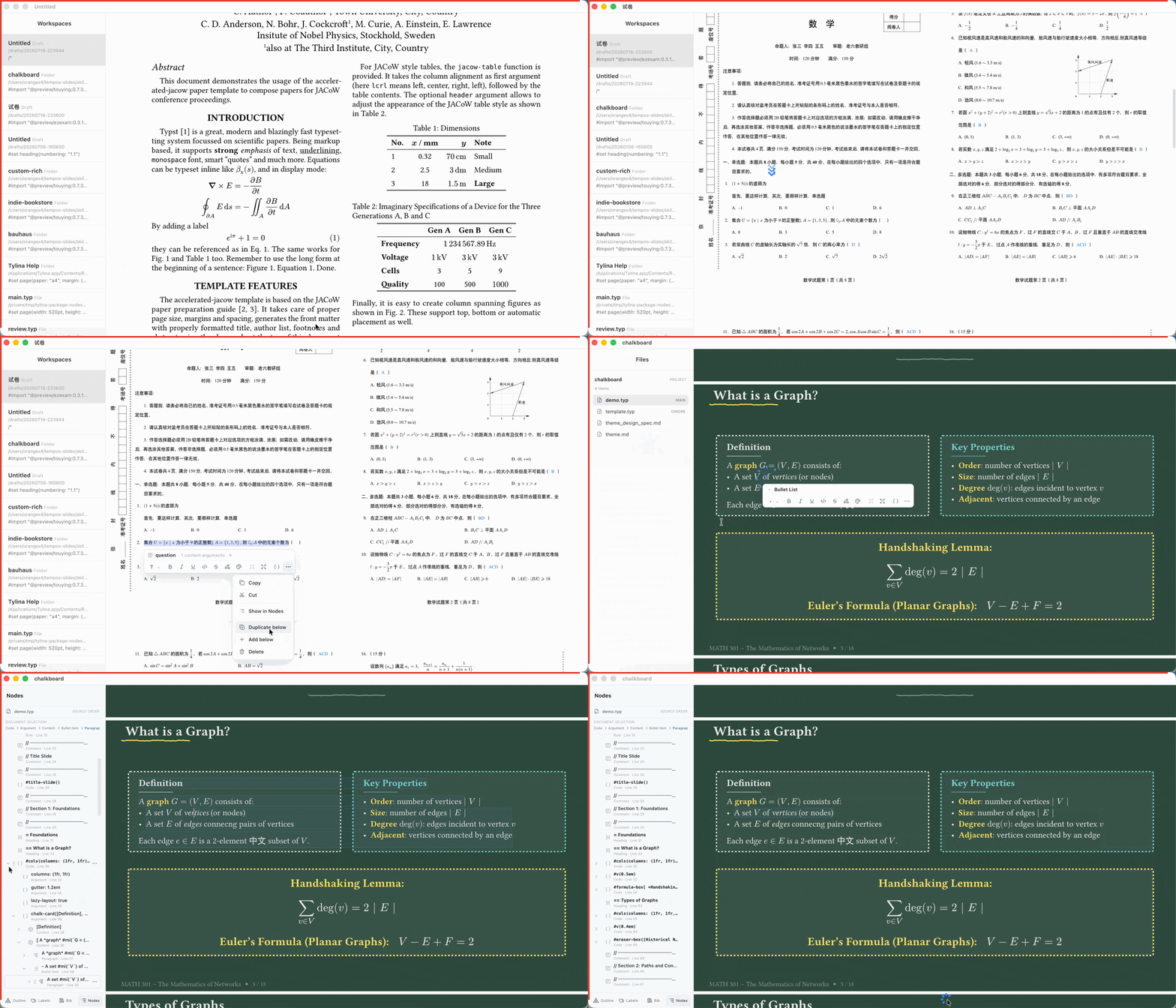
产品演示Product demo
直接面对排版后的 Typst 页面,在真实文档中点击、选择和编辑;需要时,源码始终触手可及。Work directly on the typeset Typst page: click, select, and edit a real document, with source always within reach.
01 · WYSIWYG
点击、选择、输入并按需打开源码 Lens;排版后的文档始终是主要界面。Click, select, type, and open a source lens when needed, while the typeset document remains the primary surface.
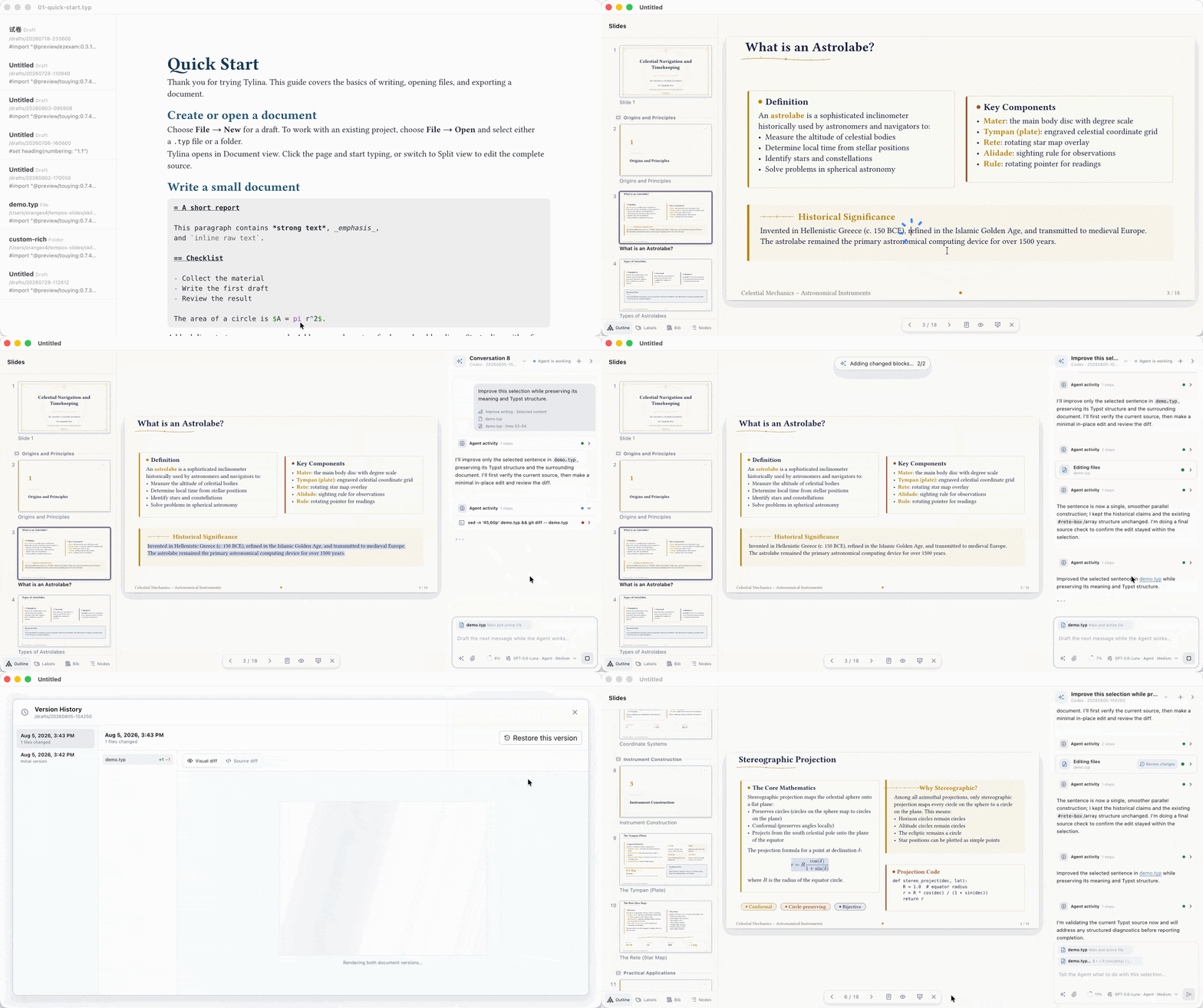
02 · Slides + AI
在一条真实工作流中完成模板选择、Slides Mode 编辑、AI 润色与 Visual Diff 审阅。Follow one real workflow through template selection, Slides Mode editing, AI-assisted polishing, and Visual Diff review.
Tylina 0.15.2 支持 macOS、Windows 与 Linux。Tylina 0.15.2 is available for macOS, Windows, and Linux.